PayByPlateMA Toll Payments in Massachusetts
PayByPlateMA payment lets you pay Massachusetts tolls without cash and without an E-ZPass transponder. It works through the EZDriveMA toll program. Plate-reading cameras record your trip, and the toll is billed to the vehicle owner linked to that license plate.
Quick overview
- Drive through toll points with no stopping
- The system reads your plate and creates the toll charge
- You get an invoice by mail or see charges in your account
- You handle it online and keep the receipt
The first time I drove the Massachusetts Turnpike, I didn’t see any toll booths and got confused. Pay By Plate Massachusetts helped because I could keep driving and take care of the bill after. In this section, you’ll learn what happens after the cameras scan your plate, how to check your toll bill online, and how to avoid late fees by paying on time.
Pay By Plate MA Payment Basics
Pay By Plate MA payment is Massachusetts’ toll billing option for drivers who do not use an E-ZPass transponder. It’s managed under the EZDriveMA toll system (MassDOT) and works by using license plate cameras to create toll charges automatically.
Here’s the simple idea: when you drive on routes like the Massachusetts Turnpike or cross the Tobin Bridge, overhead toll gantries scan your license plate as you pass. There’s no toll booth and nothing to mount on your windshield. After your trip, the toll charge is handled in one of two ways:
- If you have a Pay By Plate MA account: the toll is posted to your account for easier tracking and management.
- If you don’t have an account: you’ll receive a Pay By Plate MA invoice by mail at the address tied to your vehicle registration.
Pay By Plate MA Billing Flow
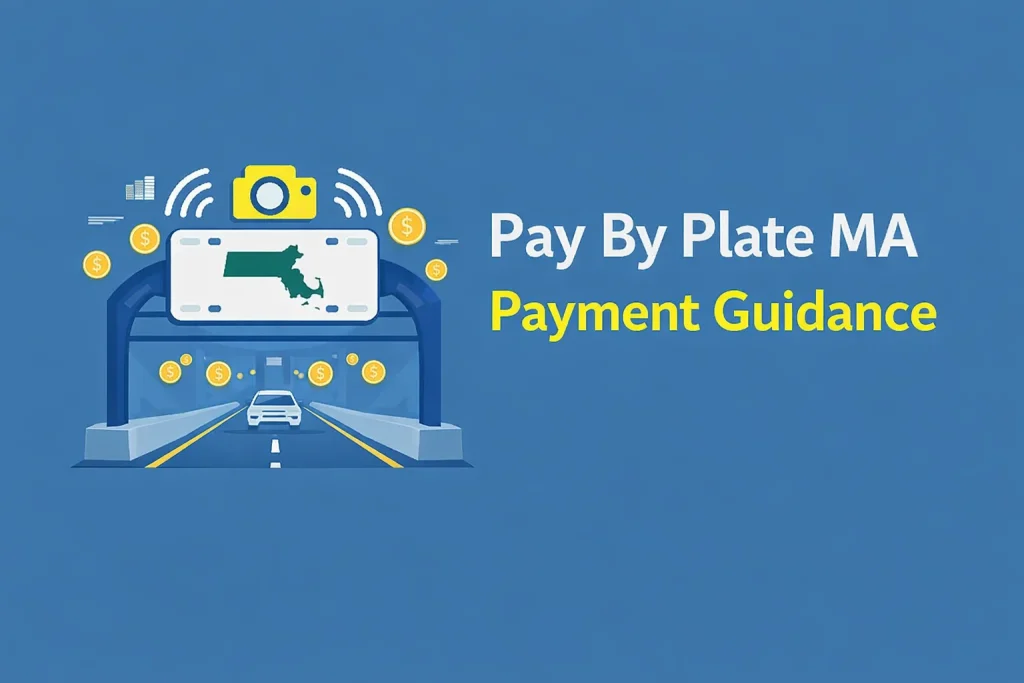
Pay By Plate MA follows a clear process from toll scan to bill. Here’s how it moves.
Step 1: Plate is recorded
Cameras read your license plate when you pass electronic toll points, including routes near Boston tunnels.
Step 2: Toll charge is created
The system calculates your toll automatically. No toll booth and no transponder needed.
Step 3: Your bill is sent based on your setup
With a Pay By Plate MA account: charges post to your account automatically.
Without an account: a bill is mailed to the address on your vehicle registration, often within 7 to 10 days.
Step 4: You choose how to complete payment
Pay online at www.paybyplatema.com or use the mail option listed on your invoice.
Step 5: Watch the invoice fee
Each mailed invoice includes a 0.60 processing fee. An account can help reduce extra charges if you drive toll roads more often.
Why Drivers Like Pay By Plate MA
Pay By Plate MA helps keep traffic moving because there are no toll booths and no stop-and-pay lines. You drive through, the system reads your plate, and you handle the bill afterward. That alone makes it a smart choice for busy roads in Massachusetts.
It’s also a strong option if you don’t use toll roads every day or if you’re visiting Boston and need a simple toll solution without setting up a transponder. When a bill shows up, you can take care of it online fast, which is helpful if you missed it the first time. I’ve had that happen once, and paying it online took only a few minutes.
If you want fewer extra charges and smoother tracking, creating a Pay By Plate MA account can make the whole process even easier.
Benefits of Registering for a Pay By Plate MA Account (Fixed Table)
You can use Pay By Plate MA payment without an account, but registering makes everything easier. A Pay By Plate MA account helps you manage toll charges in one place and reduces the chance of missed bills.
I learned this after paying extra invoice fees more than once. If you drive toll roads even sometimes, an account is a smart move because it keeps your toll billing organized and helps you avoid unnecessary add-on costs.
| Benefit | What it means for you |
|---|---|
| Auto-pay | Tolls charge to your saved card/bank method, so you’re less likely to miss a payment. |
| Fewer paper invoices | Using an account can reduce how often you receive mailed invoices (depends on how you use the system). |
| Track trips and charges | View transactions, dates, and road locations in one place for records. |
| Easier updates | Update plates, vehicles, address, and payment method without calling in. |
| Helps avoid extra charges | Paying on time and using auto-pay can reduce the chance of added fees later. |
Quick note about invoice fees: Massachusetts notes a $0.60 fee per invoice issued.
Prepaid Account vs. Postpaid Account
When you open a Pay By Plate MA account, you’ll choose one of two payment options. One uses money you add first. The other bills you after you drive.
Prepaid Account (pay before you drive)
You add funds in advance, and tolls are taken from your balance as you use toll roads.
Key points
- Add money to your account balance first
- Tolls are deducted automatically after you drive
- Save a card or bank account for low-balance reloads
- Best for frequent Massachusetts toll road drivers
Postpaid Account (pay after you drive)
You drive first, then tolls are totaled and billed later to your saved payment method.
Key points
- No balance to keep
- Tolls are billed later, usually monthly
- Charges go to your saved card or bank method
- Best for occasional drivers or short visits
Quick tip: Choose prepaid if you want closer control of spending. Choose postpaid if you prefer one combined bill later.
How to Get Started
If you want to view bills, manage plates, and make payments online, go to www.paybyplatema.com and create your account.
Quick account setup
- On the homepage, choose Register.
- Fill in your basic info, like name, mailing address, and email.
- Add your vehicle details: license plate, make, model, and year.
- Select how you want to pay:
- Prepaid: you add money first, and tolls are taken from your balance.
- Postpaid: tolls add up, and you’re charged later using your saved payment method.
- Add a payment option, accept the site terms, and submit.
- Open the verification email and confirm to activate your account.
Password tip
- Use a password that’s hard to guess—mix letters, numbers, and one special character. It saves time later if you ever need to recover your login.
- Once your account is active, you can sign in anytime to check toll activity and handle payments from the same place.
Steps to Pay By Plate MA Payment Online
You can pay online in two common situations:
- You have an account and want to pay through your dashboard
- You received a mailed invoice and want to pay without signing in
Pay an invoice (no account needed)
- Go to www.paybyplatema.com (use the site printed on your invoice).
- Choose Pay an Invoice (wording may vary).
- Enter your license plate number, state, and invoice number from the bill.
- Review the total and confirm the plate details match your vehicle.
- Choose a payment option shown on the screen (card or wallet options, if available).
- Submit payment and save proof (receipt/confirmation number, screenshot, or download if offered).
If you have an account
- Sign in at paybyplatema.
- Open Payments, Transactions, or Activity.
- Pay any amount due, add funds (for prepaid), or confirm your saved payment method (for postpaid).
- Save your receipt or download your transaction record if needed.
Quick notes
- Use only the website shown on your invoice or official MA toll pages. Avoid payment links from texts or unknown emails.
- Check every digit of the invoice number and plate—small typos can pull up the wrong bill.
- A processing/service fee may apply to invoice payments. If you get invoices often, an account can help reduce extra charges and keep records in one place.
Pay From Your Dashboard
Once your account is active, everything you need is inside your online profile.
- Sign in at www.paybyplatema.com.
- Go to Billing / Account Balance (or Activity) to check what’s due and see recent toll entries.
- Choose what you need to do next:
- Prepaid users: top up your balance so future tolls can pull from it.
- Postpaid users: confirm your saved card/bank option is current and ready for billing.
- Save your records: export, print, or download your payment history/statement for tracking, work reimbursement, or filing needs.
Fix Login and Payment Issues
If the site isn’t working, these steps solve most problems.
Can’t sign in
- Check your email/username and password again (Caps Lock is a common issue).
- Use Forgot Password to reset your password and get back in.
Too many attempts or account temporarily blocked
- Wait 15–30 minutes, then try again.
- If it still won’t let you sign in, call EZDriveMA Customer Service: (877) 627-7745.
Page won’t load or the payment button won’t work
- Refresh the page and try again.
- Switch browsers (Chrome, Edge, or Safari).
- Open a private/incognito window.
- Clear cache and cookies for that site.
- Update your browser, then retry.
Invoice won’t show up
- Recheck the invoice number, plate, and state exactly as printed.
- If it still doesn’t show, call (877) 627-7745.
Security warning or suspicious link
- Only pay using the official MA toll site listed on your invoice.
- Be careful with texts and emails that push payment links (scam messages are common).
Pay by Plate MA vs E-ZPass MA
Both options are part of EZDriveMA, but they work differently. Pay by Plate links tolls to your license plate, while E-ZPass uses a transponder and charges your account automatically.
| Topic | Pay by Plate MA | E-ZPass MA | Best pick |
|---|---|---|---|
| What it uses | Plate-based billing | Transponder-based billing | E-ZPass for frequent tolls |
| Setup effort | ✔ Fast, no device | — Needs device + account | Pay by Plate for quick start |
| How you get billed | Invoice / online payment | Auto-billed through account | E-ZPass for less effort |
| Fees to watch | — Invoice fee may apply | ✔ Usually avoids invoice fees | E-ZPass if you drive often |
| Savings | — Limited | ✔ Better savings options | E-ZPass for commuters |
| Best for | ✔ Occasional trips | ✔ Regular toll use | Depends on driving habit |
| Multi-state use | — Less practical | ✔ Better for travel | E-ZPass for road trips |
| Tracking records | ✔ Online history | ✔ Online history | Tie |
Quick pick
- Choose Pay by Plate MA if you drive toll roads once in a while and don’t want a device.
- Choose E-ZPass MA if you drive toll roads often and want smoother billing plus better long-term value.
When Pay by Plate MA makes sense
Pick Pay by Plate MA if you:
- Use MA toll roads only sometimes
- Prefer no windshield device
- Are okay paying after your trip by invoice or online
- Are in a rental or borrowed car and need a short-term option (check the rental policy to avoid double charges)
Quick example: If you’re renting a car in Greater Boston area for a few days, Pay by Plate can be simpler since it’s tied to the plate.
When E-ZPass MA is the better option
Pick E-ZPass MA if you:
- Drive toll routes often (weekly or more)
- Want tolls handled through an account instead of tracking invoices
- Travel outside Massachusetts and want one system that works in many places
- Don’t mind placing a transponder once and keeping your payment method updated
- Want lower toll rates where discounts apply
When Using Both Makes Sense
Yes, you can use both based on how your accounts are set up.
- E-ZPass: best for daily commutes and frequent toll trips
- Pay By Plate: best for one-time trips, rentals, or borrowed cars
One rule: avoid double billing. Rentals and borrowed vehicles are the most common reason the same trip gets charged twice, so check the vehicle’s toll policy.
Picking between Pay By Plate and E-ZPass depends on how often you use toll roads. Next: how to avoid unpaid tolls and extra charges.
How to Avoid Penalties and Late Fees
- Check mail and email quickly (notices may come through either)
- Pay the invoice as soon as it arrives
- Confirm your plate number is correct (especially after plate changes)
- Update your address so invoices reach you
- Save payment proof (receipt or screenshot)
- Be extra careful with rentals—some companies also bill tolls separately
If You Pay Late or Forget a Toll Bill
When a Pay By Plate MA invoice stays unpaid, late charges can be added based on the age of the balance:
- 1–30 days: $0 added
- 31–60 days: $1.00 per unpaid toll
- 61–90 days: + $1.00 per unpaid toll (added again)
- 90+ days: + $1.00 per unpaid toll (added again) plus $20 RMV fee
RMV hold risk: If it stays unpaid, the RMV may block registration renewal and some renewals until the balance is cleared.
Annual limit: Total fees/penalties for unpaid tolls are capped at $500 per year per vehicle.
Simple Ways to Avoid Fees
- Use E-ZPass for regular trips and keep the account funded
- Pay Pay By Plate notices early
- Double-check your plate number (new plate, temp plate, plate transfer)
- Keep your mailing address and email updated
- Save payment confirmation (screenshot or receipt)
- For rentals/borrowed cars, ask how the company bills tolls before driving
Need help or want to confirm a notice is real?
Contact EZDriveMA Customer Service:
- Phone: (877) 627-7745
- Email: [email protected]
Missed a Pay By Plate MA Bill: Quick Recovery Steps
If you received a Pay By Plate MA notice and it’s already overdue, take these steps right away:
- Pay as soon as you can to reduce the chance of extra fees.
- Check the notice details to make sure they match your trip:
- Plate number
- Date
- Toll location
- Amount due
- Dispute it fast if it looks wrong. Many notices have a deadline, so follow the appeal steps shown on the invoice.
- If you can’t pay in full, ask about options. Support can tell you if a payment plan or other option is available and what to do next.
Need help?
- Phone: (877) 627-7745
- Email: [email protected]
Conclusion
Pay By Plate MA is a practical option for drivers who do not always have a transponder or who use toll roads only sometimes. It lets you pay online using your plate, without stopping at toll booths.
To keep everything smooth:
- Pay notices early
- Keep your plate and address details updated
- Save payment proof
- Contact EZDriveMA right away if a bill looks incorrect
That way, you avoid late fees and keep your account in good standing.